Resturlaub App-Icon

Deine Urlaubstage immer im Blick

Verwalte deinen Resturlaub, plane Brückentage und behalte den Überblick – einfach, übersichtlich und direkt auf deinem iPhone.
Laden im App Store
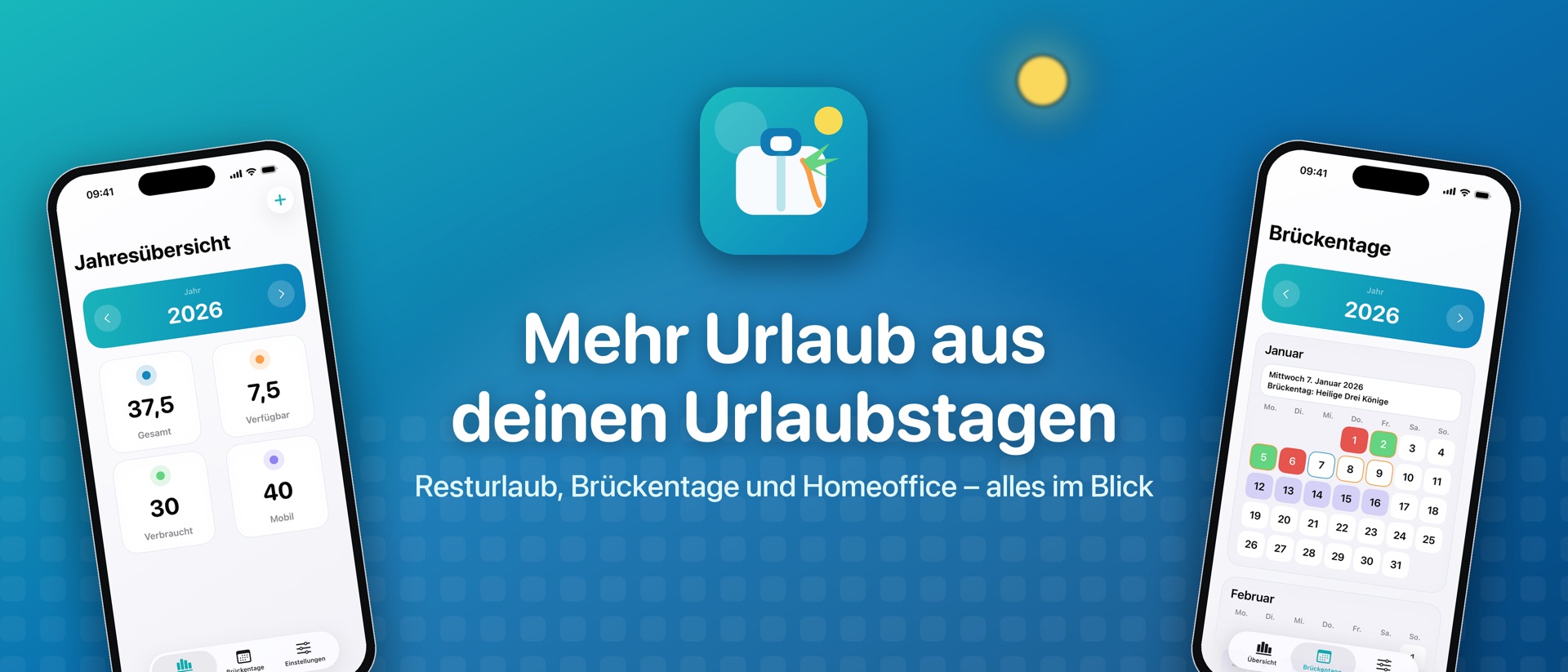
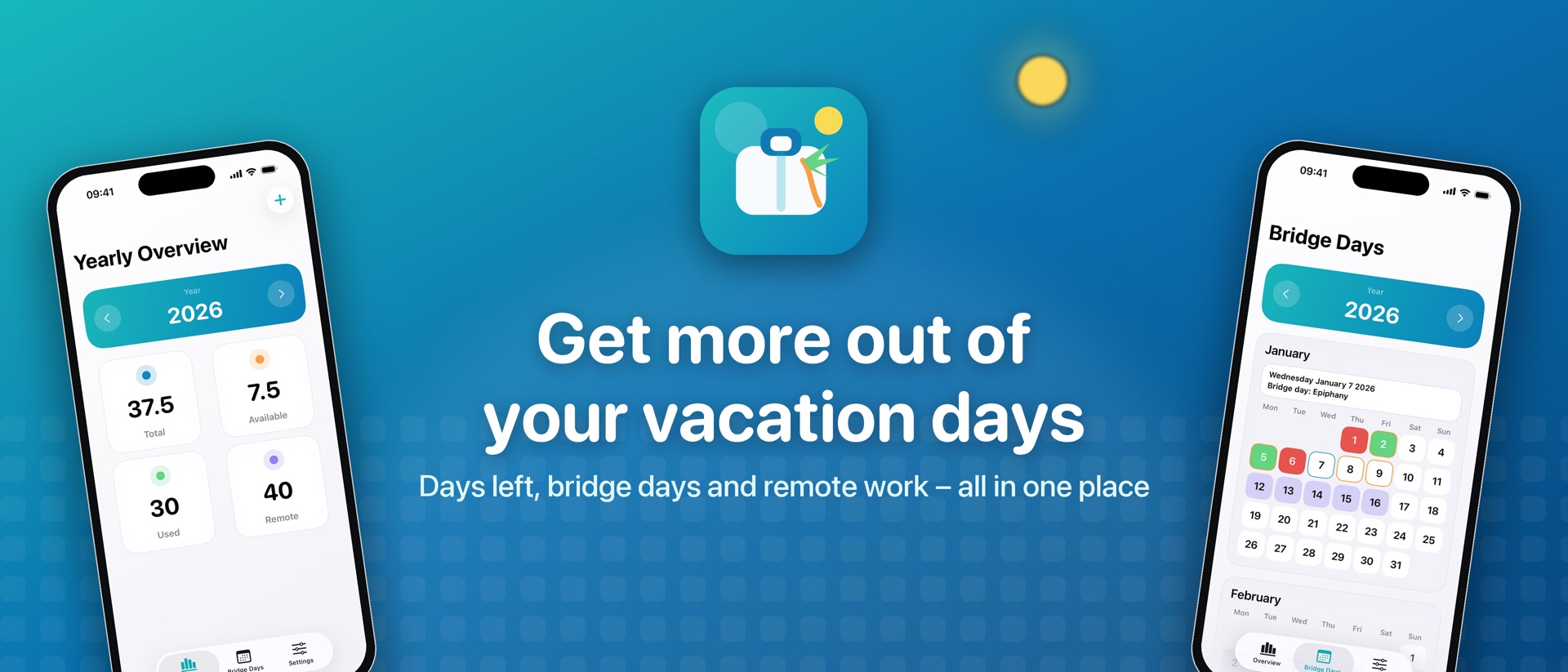
Resturlaub auf dem iPhone: Jahresübersicht und Brückentage – mehr Urlaub aus deinen Urlaubstagen

Alles, was du brauchst

Resturlaub bietet dir alle Werkzeuge, um deine Urlaubsplanung einfach und stressfrei zu gestalten.

📊

Jahresübersicht

Sieh auf einen Blick, wie viele Urlaubstage du noch hast – mit automatischer Berechnung der genutzten und verbleibenden Tage.

🌉

Brückentage-Planer

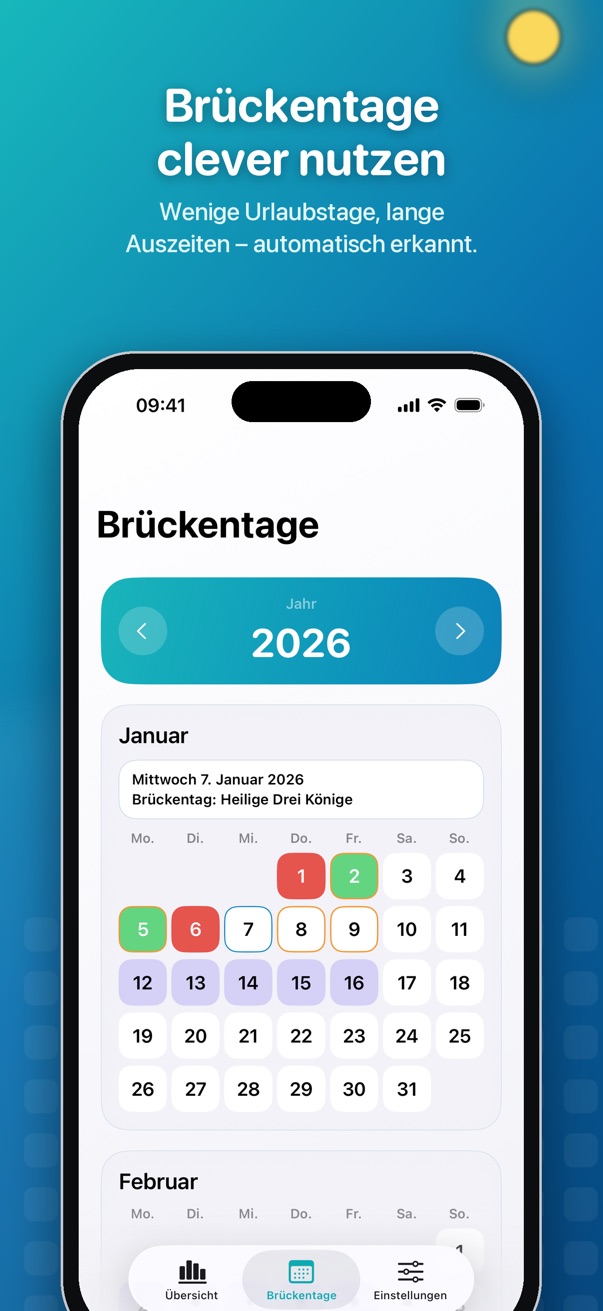
Finde automatisch die besten Brückentage in deinem Bundesland und maximiere deine freien Tage mit minimalem Urlaubseinsatz.

🌍

10 Länder unterstützt

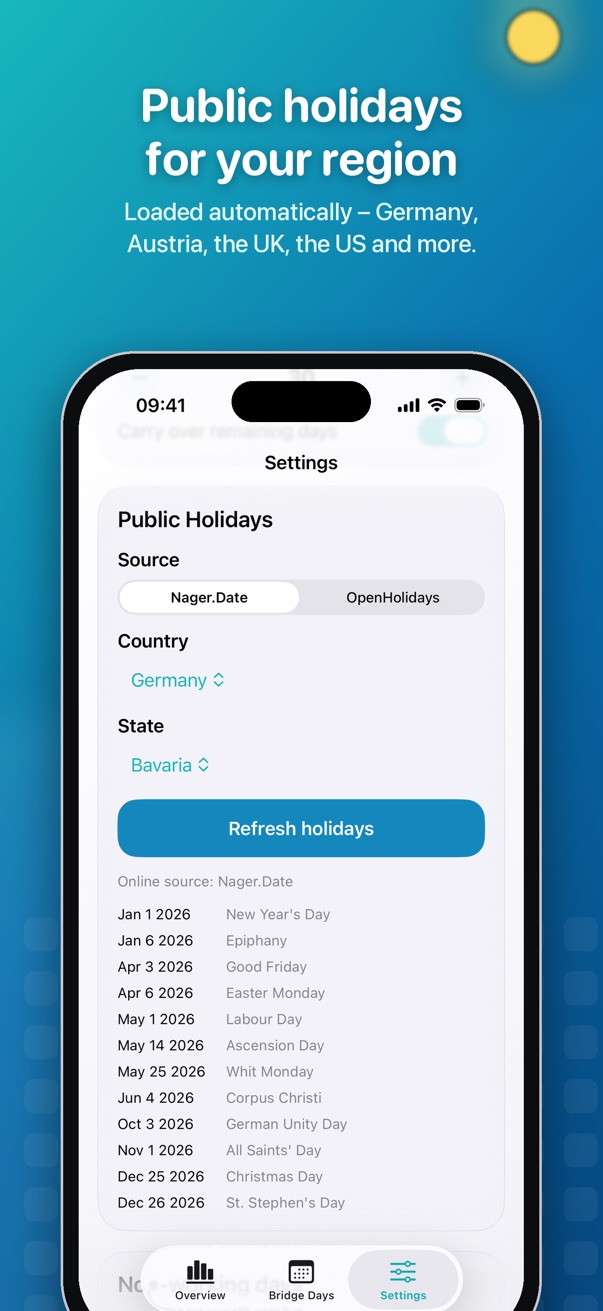
Feiertage für Deutschland, Österreich, Schweiz, USA, UK, Australien und weitere – inklusive regionaler Feiertage.

💼

Mobiles Arbeiten erfassen

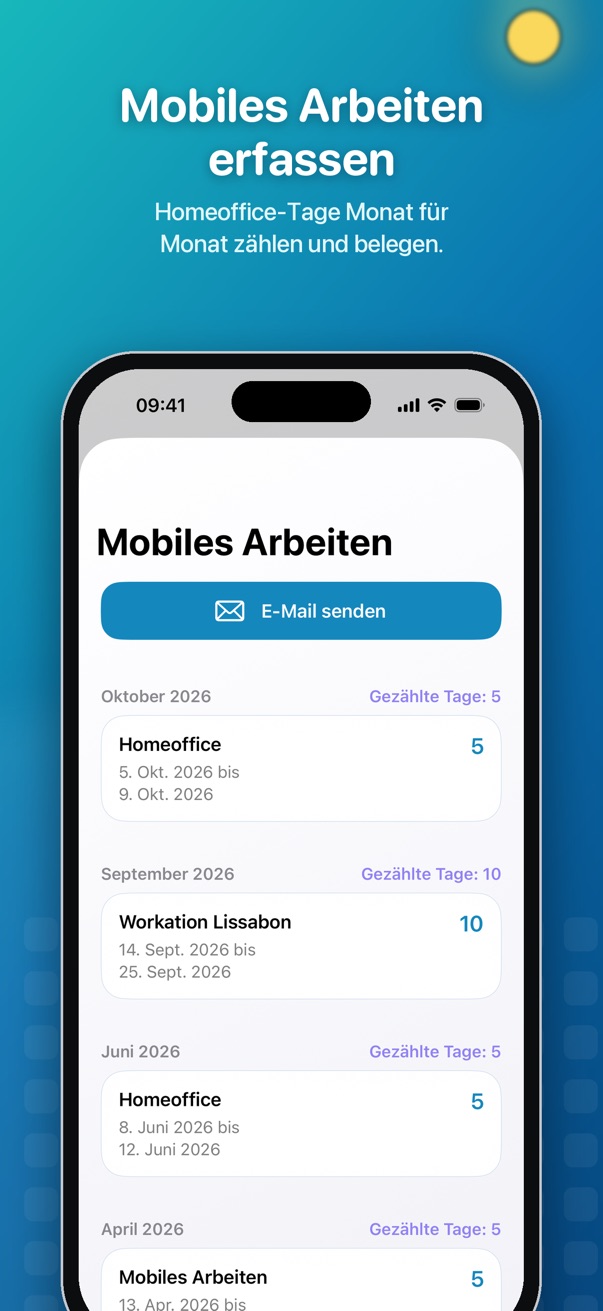
Erfasse neben Urlaubstagen auch deine Homeoffice- und Remote-Work-Tage separat und behalte alles im Überblick.

📅

Kalender-Integration

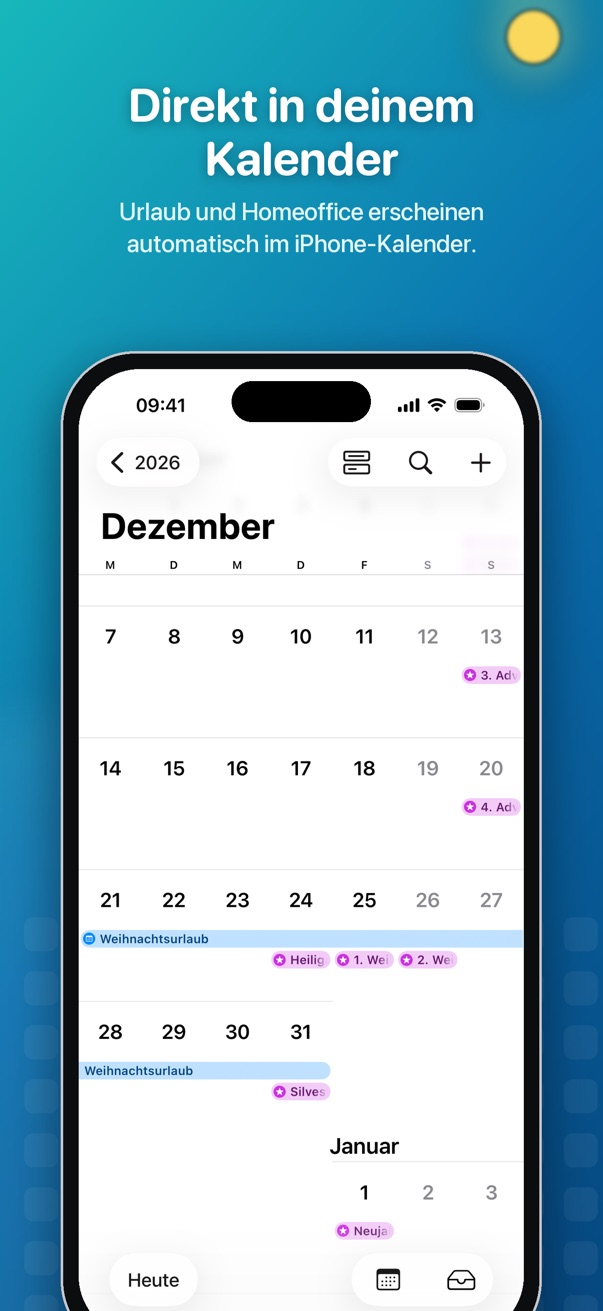
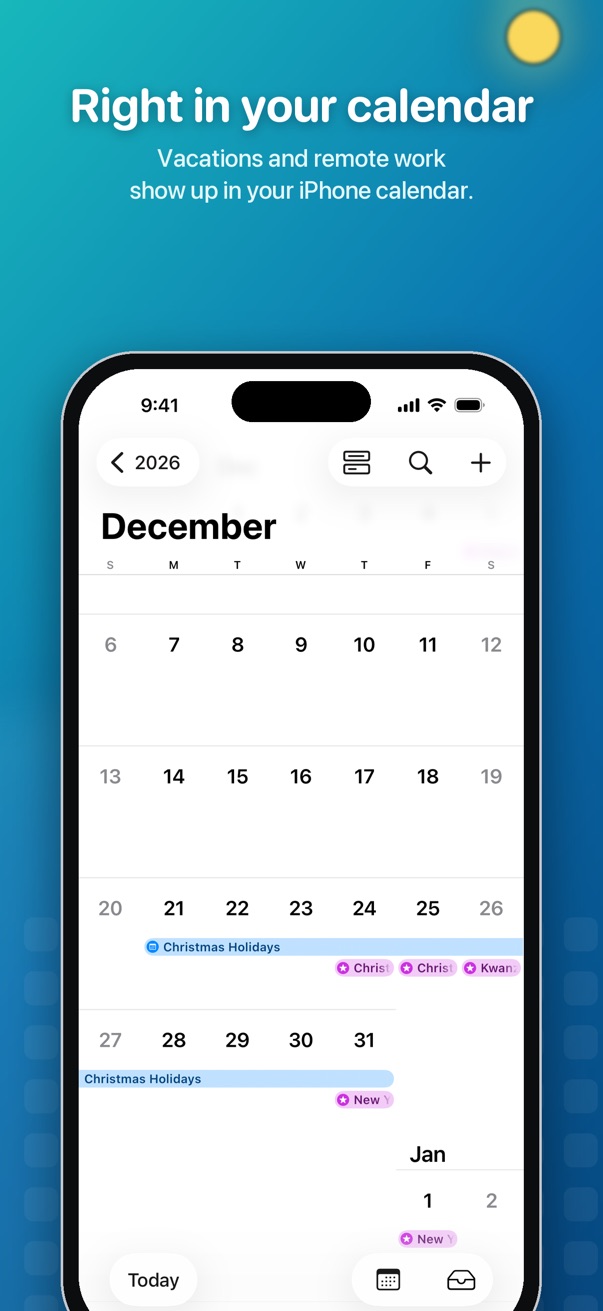
Synchronisiere deine Urlaube und mobilen Arbeitstage direkt mit deinem iPhone-Kalender – automatisch und zuverlässig.

☁️

iCloud Backup

Deine Daten werden sicher in iCloud gesichert. Stelle sie jederzeit auf einem neuen Gerät wieder her – ohne etwas zu verlieren.

Screenshots

So sieht Resturlaub in Aktion aus.
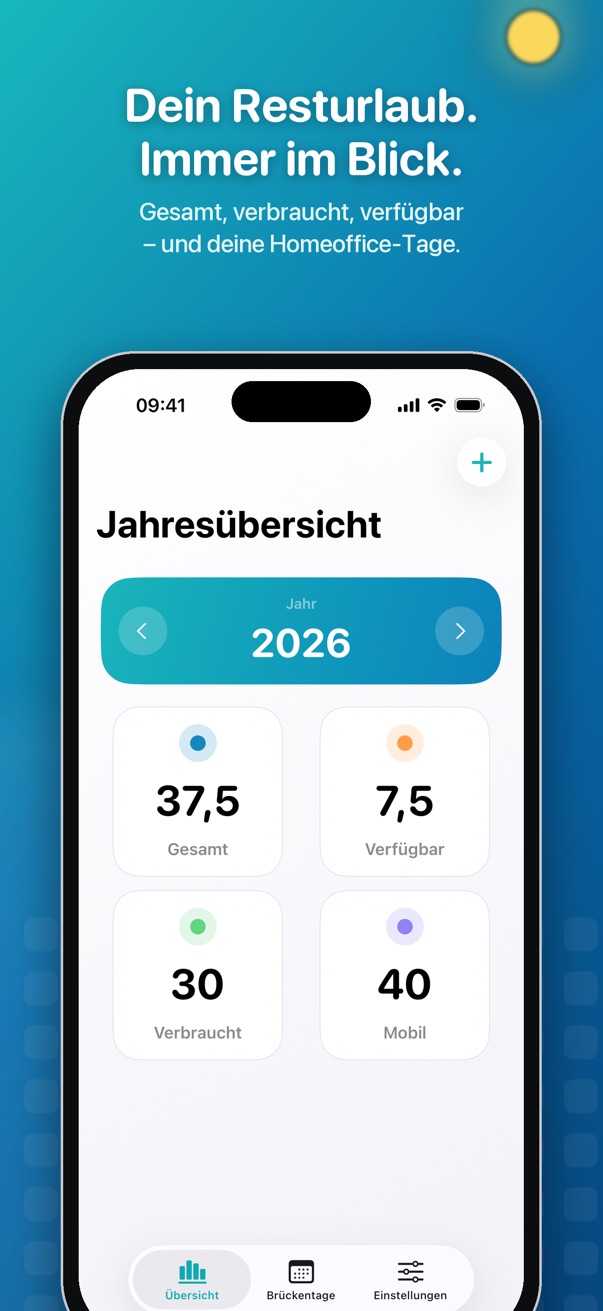
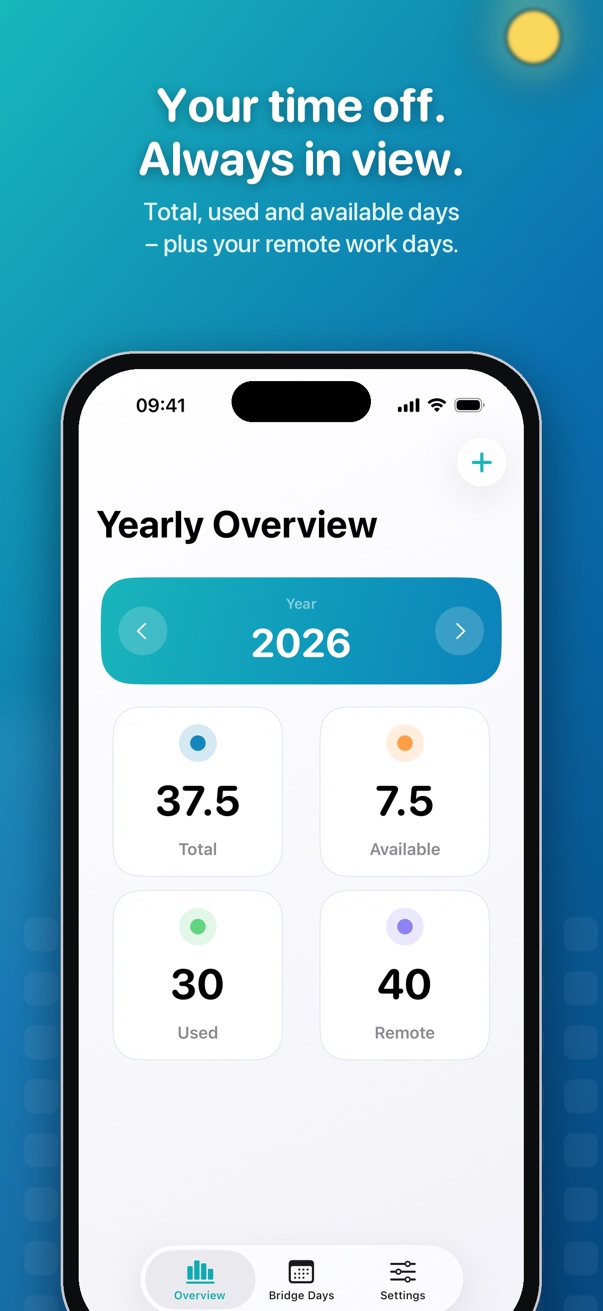
Dein Resturlaub. Immer im Blick – Gesamt, verbraucht, verfügbar und deine Homeoffice-Tage
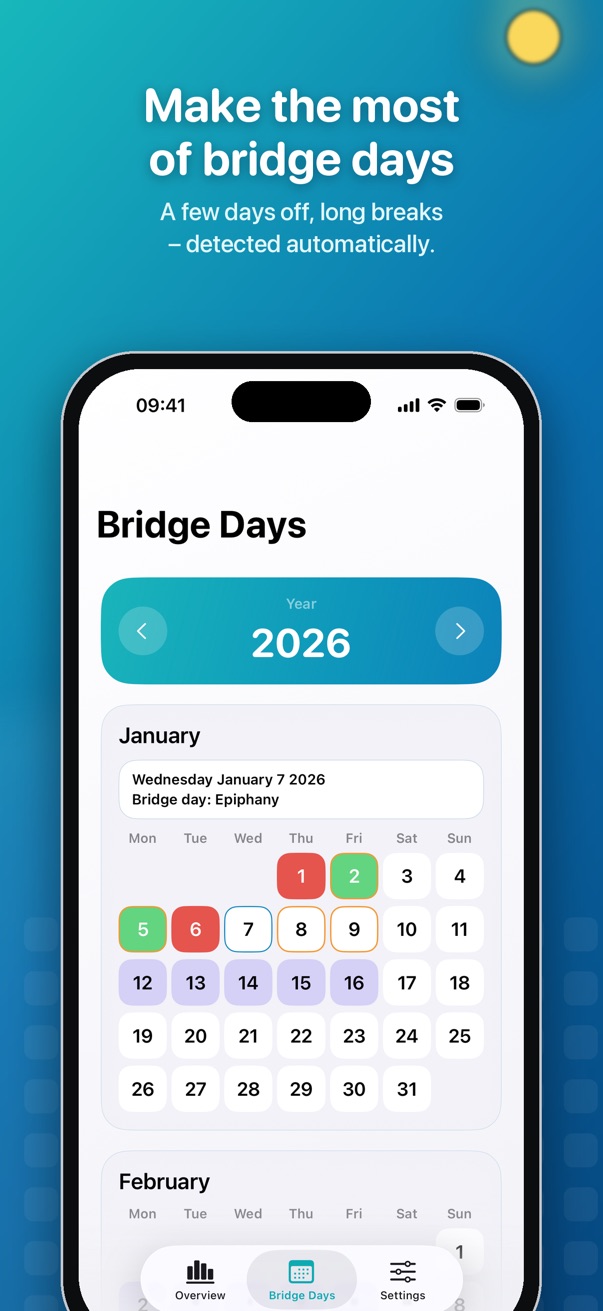
Brückentage clever nutzen – automatisch erkannt
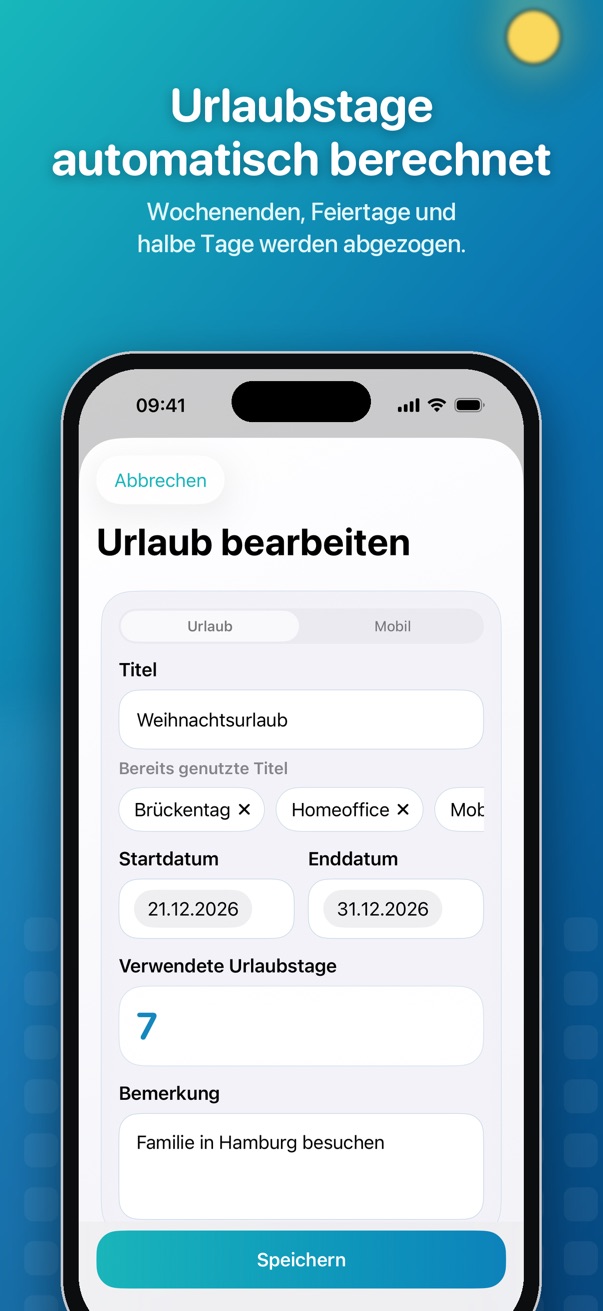
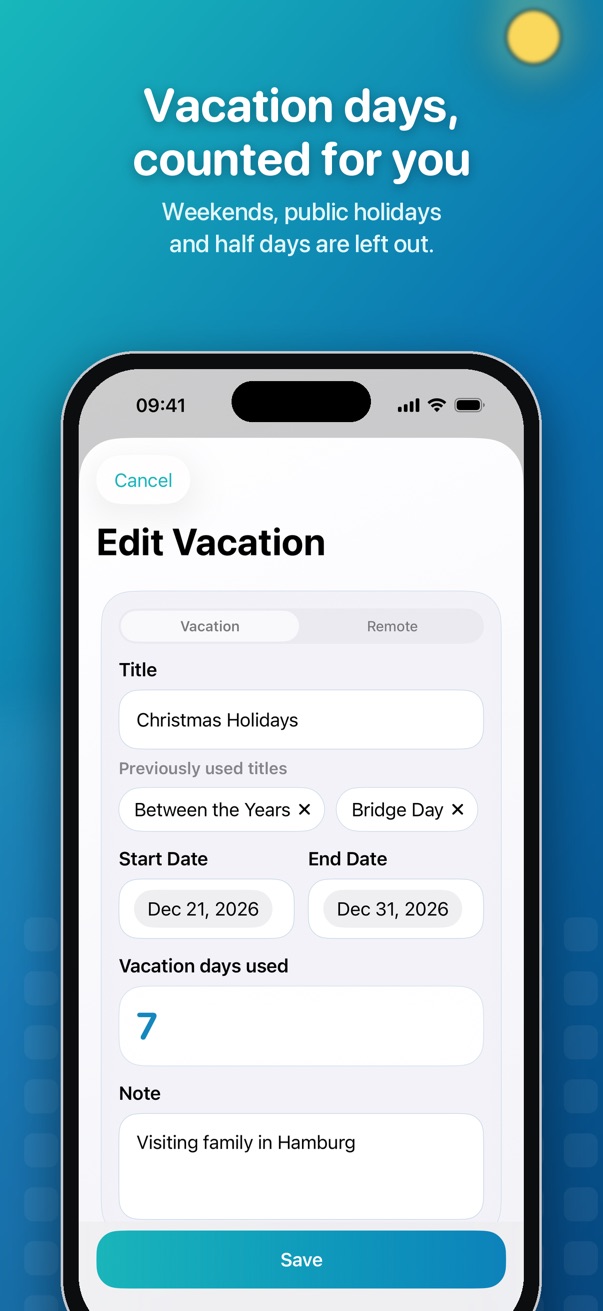
Urlaubstage automatisch berechnet – Wochenenden, Feiertage und halbe Tage werden abgezogen
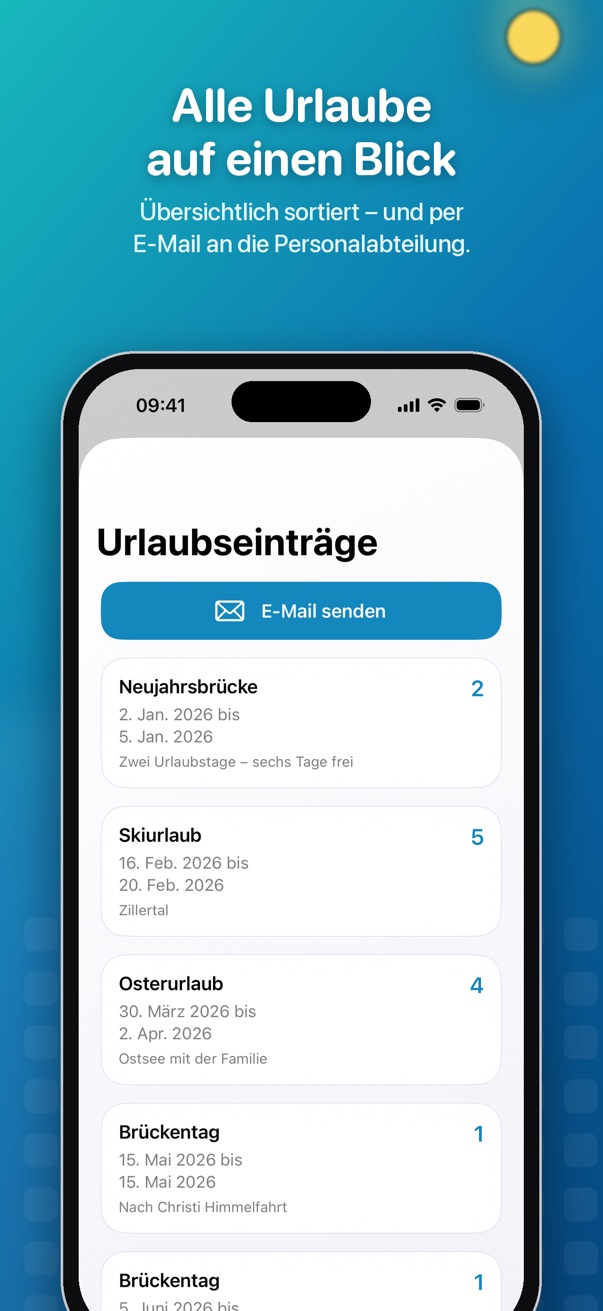
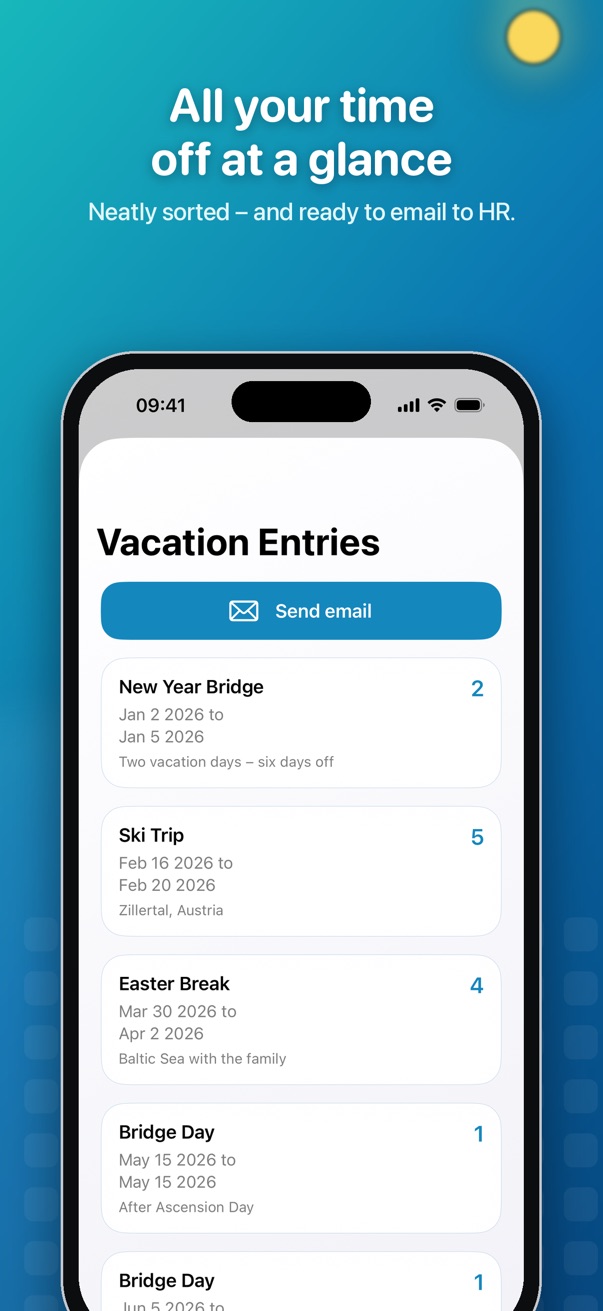
Alle Urlaube auf einen Blick – und per E-Mail an die Personalabteilung
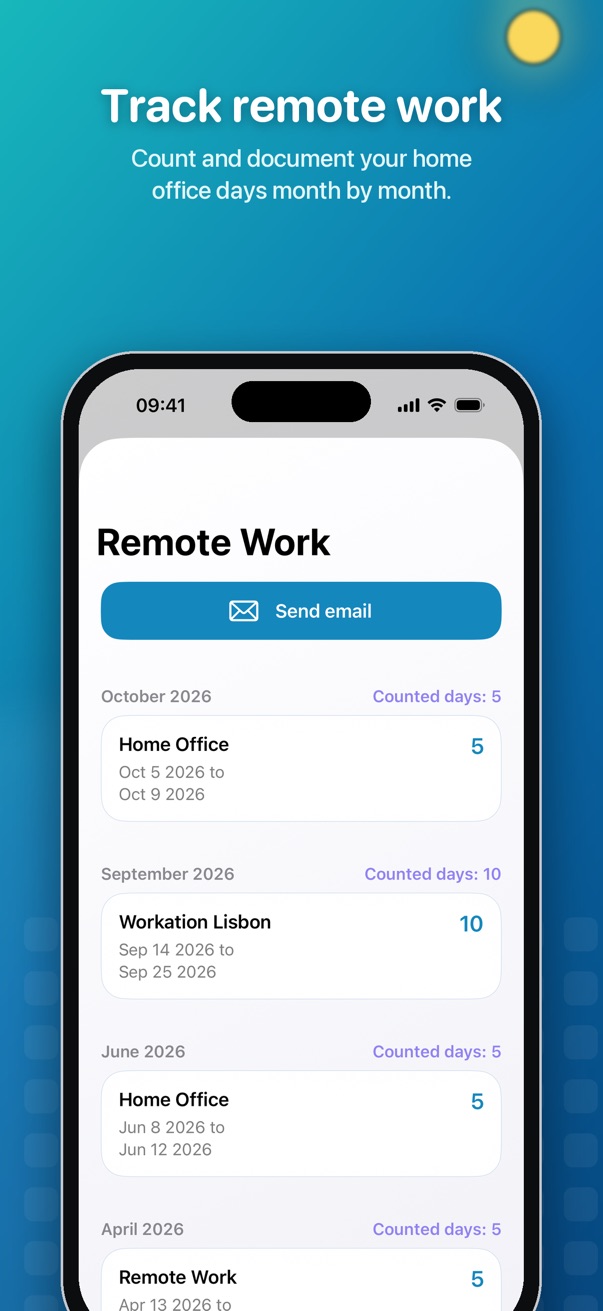
Mobiles Arbeiten erfassen – Homeoffice-Tage Monat für Monat
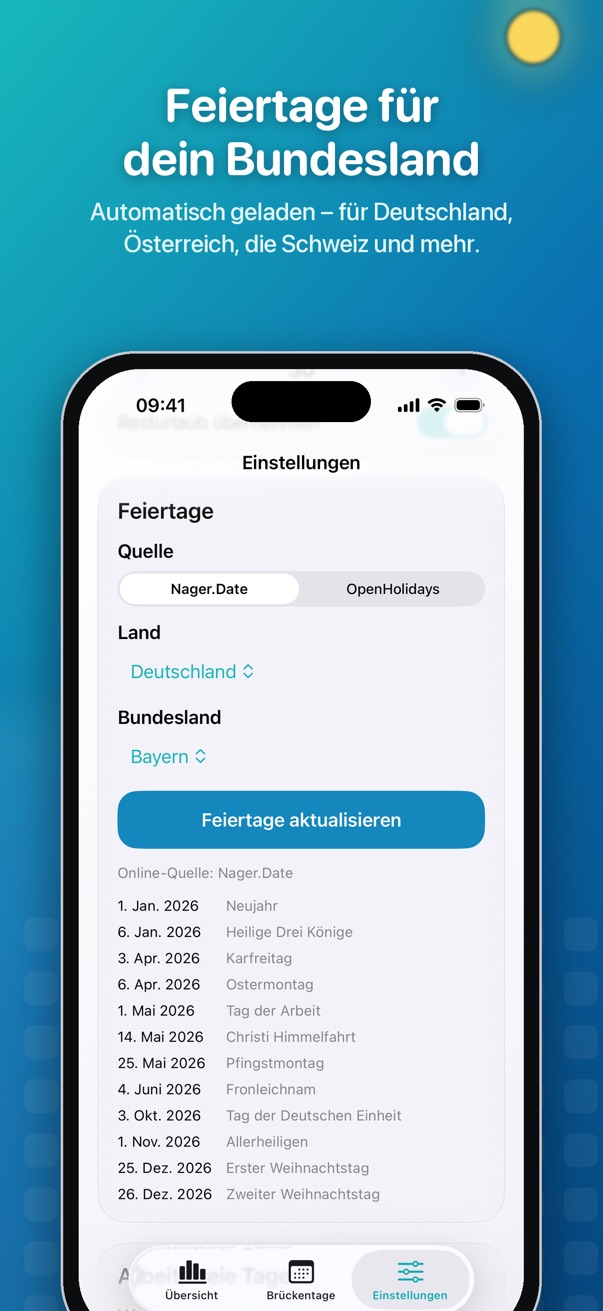
Feiertage für dein Bundesland – automatisch geladen
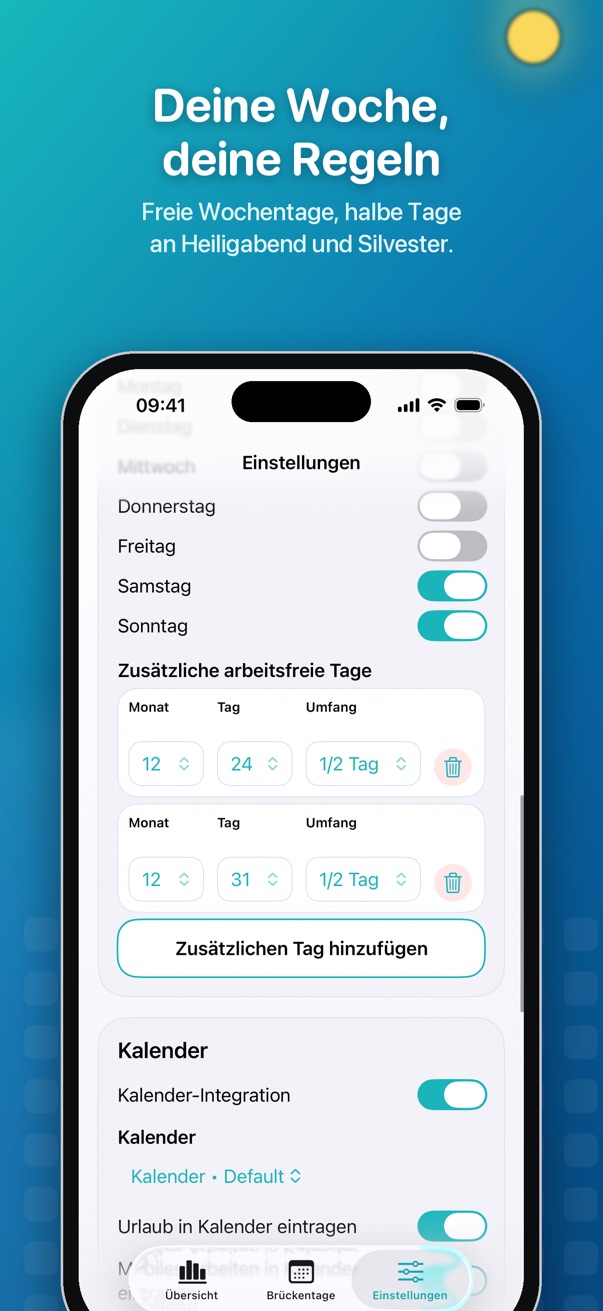
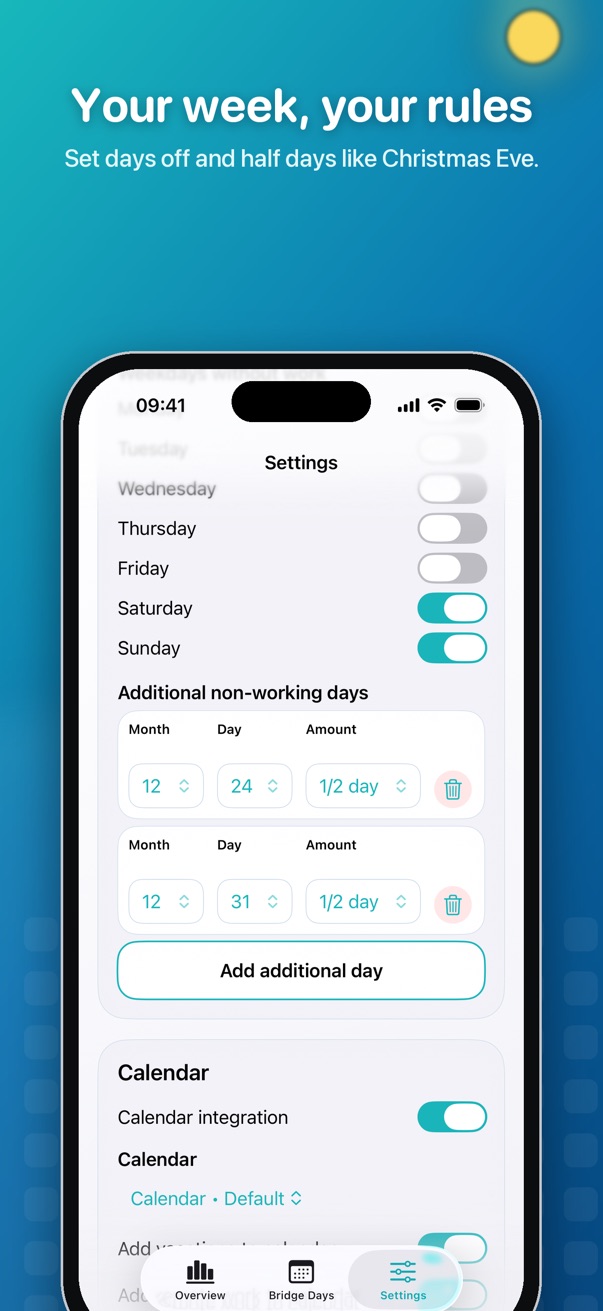
Deine Woche, deine Regeln – freie Wochentage und halbe Tage
Direkt in deinem Kalender – Urlaub und Homeoffice im iPhone-Kalender
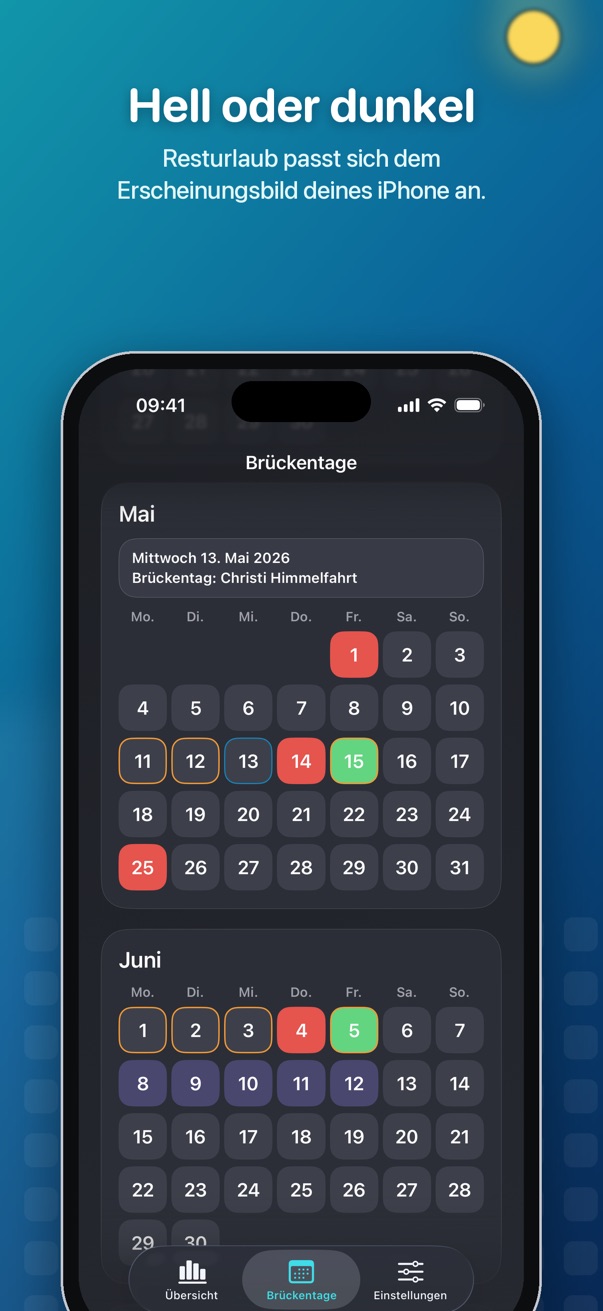
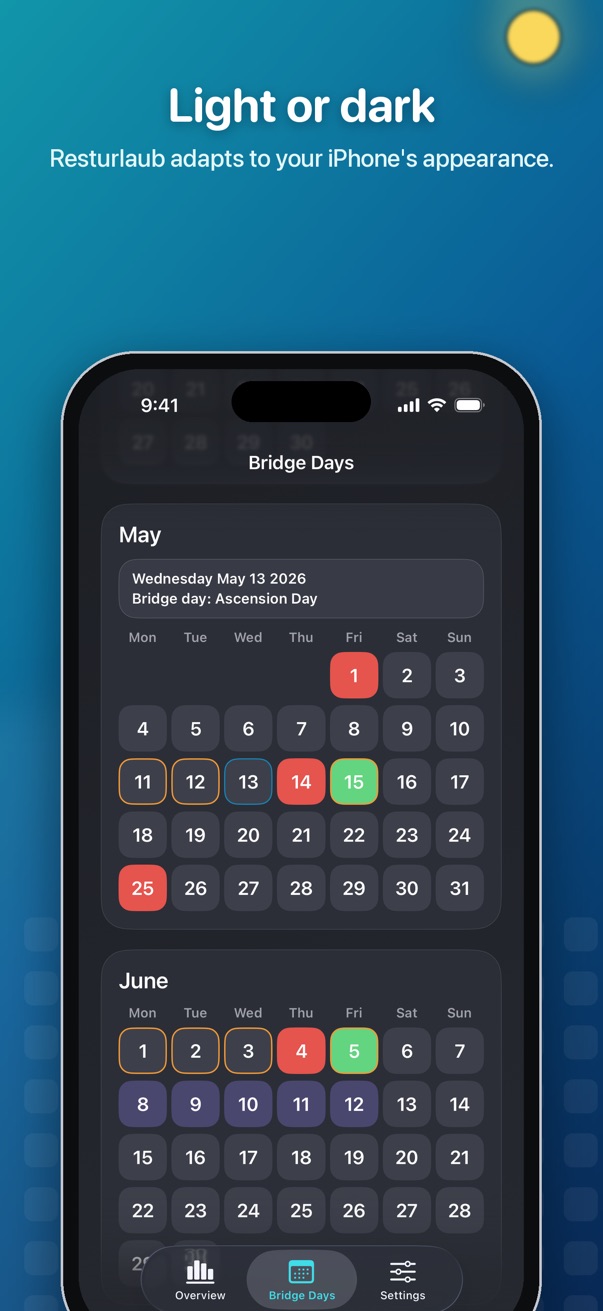
Hell oder dunkel – Resturlaub passt sich dem Erscheinungsbild an

Seitlich wischen für weitere Screenshots →

Über Resturlaub

Mehr als nur ein Urlaubszähler – dein persönlicher Planungsassistent.

📋 Urlaubsverwaltung

Lege deine jährlichen Urlaubstage fest und trage Urlaube ein. Resturlaub berechnet automatisch die genutzten Arbeitstage – unter Berücksichtigung von Feiertagen und deinen individuellen Arbeitszeiten. Resttage lassen sich optional ins nächste Jahr übertragen.

🌉 Brückentage entdecken

Der integrierte Brückentage-Kalender zeigt dir auf einen Blick, welche Tage zwischen Feiertagen und Wochenenden liegen. So planst du deinen Urlaub strategisch und holst das Maximum an freien Tagen heraus.

⚙️ Flexibel anpassbar

  • Arbeitstage individuell konfigurierbar
  • Halbe Tage für Heiligabend & Silvester
  • Verschiedene Feiertagsquellen wählbar
  • Deutsch und Englisch verfügbar
  • E-Mail-Export deiner Urlaubsdaten

🔒 Datenschutz

Alle deine Daten bleiben auf deinem Gerät. Es werden keine persönlichen Daten an Server übertragen, gesammelt oder an Dritte weitergegeben. Du behältst die volle Kontrolle.
🔒 Deine Daten gehören dir

Resturlaub speichert alle Daten ausschließlich lokal auf deinem Gerät.

Kein Tracking. Keine Werbung. Keine Server-Übertragung.

Zur vollständigen Datenschutzerklärung →
Resturlaub app icon

Your vacation days, always in view

Keep track of the days you have left, plan bridge days and stay on top of it all – simple, clear and right on your iPhone.

Download on the App Store
Resturlaub on iPhone: yearly overview and bridge days – get more out of your vacation days

Everything you need

Resturlaub gives you all the tools to make planning your time off simple and stress-free.

📊

Yearly overview

See at a glance how many vacation days you have left – used and remaining days are calculated automatically.

🌉

Bridge day planner

Automatically find the best bridge days in your state or region and get the most days off for the fewest vacation days.

🌍

10 countries supported

Public holidays for Germany, Austria, Switzerland, the US, the UK, Australia and more – including regional holidays.

💼

Remote work tracking

Log your home office and remote work days separately from your vacation days and keep everything in one place.

📅

Calendar integration

Sync your vacations and remote work days straight to your iPhone calendar – automatically and reliably.

☁️

iCloud backup

Your data is backed up safely to iCloud. Restore it on a new device at any time – without losing a thing.

Screenshots

See Resturlaub in action.

Your time off. Always in view – total, used and available days plus your remote work days
Make the most of bridge days – detected automatically
Vacation days, counted for you – weekends, public holidays and half days are left out
All your time off at a glance – and ready to email to HR
Track remote work – home office days month by month
Public holidays for your region – loaded automatically
Your week, your rules – days off and half days like Christmas Eve
Right in your calendar – vacations and remote work in your iPhone calendar
Light or dark – Resturlaub adapts to your iPhone's appearance

Swipe sideways for more screenshots →

About Resturlaub

More than a vacation counter – your personal planning assistant.

📋 Vacation tracking

Set your annual vacation allowance and add your vacations. Resturlaub automatically counts the working days you use – taking public holidays and your own working pattern into account. Remaining days can optionally be carried over to the next year.

🌉 Discover bridge days

The built-in bridge day calendar shows you at a glance which days fall between public holidays and weekends. Plan your vacation strategically and get the most days off.

⚙️ Flexible settings

  • Configure your own working days
  • Half days for Christmas Eve & New Year's Eve
  • Choice of public holiday sources
  • Available in English and German
  • Email export of your vacation data

🔒 Privacy

All your data stays on your device. No personal data is sent to servers, collected or shared with third parties. You stay in full control.

🔒 Your data belongs to you

Resturlaub stores all data locally on your device only.

No tracking. No ads. No data sent to servers.

Read the full privacy policy →